¶ Data Files
The Data Files section will display any .csv or database files that you have uploaded to the Designer Admin.

 |
Allows you to delete a .csv or database file. |
¶ Bulk Merge
You can perform a merge of a template file with a database file. The entire process is performed within the administrative interface of the Designer server.
Steps:
- Create a product and upload the template file to the product.
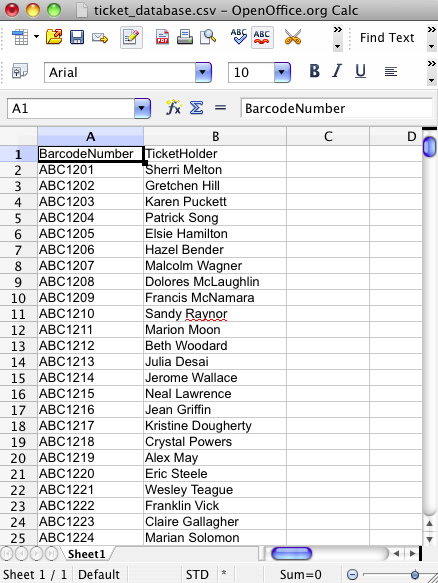
- Create a database file and save it in CSV format (Figure 1). The CSV file must contain at least as many columns as there are blocks in the template file. The first row of the CSV file may contain column labels. The CSV file should use comma as the separator and should not use quotation marks as text delimiter.
- Upload the CSV file as a new data file.
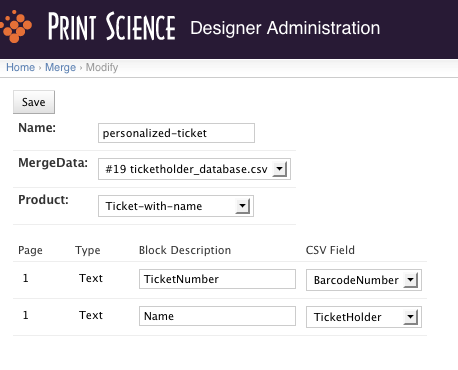
- Create a new mapping from the blocks in the template file to the columns in the database file (Figure 2).
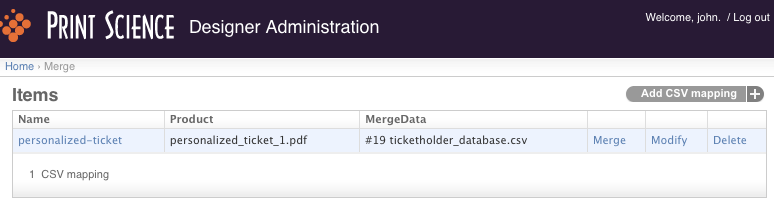
- Perform merge by clicking the "merge" link (Figure 3).
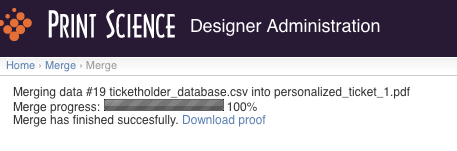
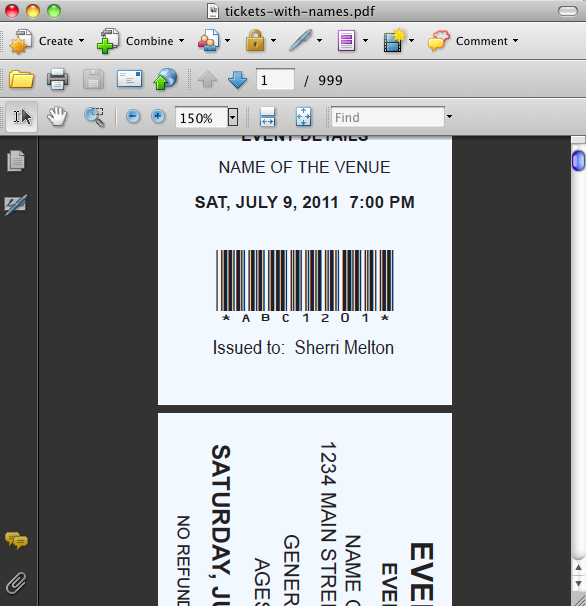
- Download the resulting PDF file (Figure 4). The page count of the resulting PDF file will be equal to the product of the page count of the original template file and the number of data records in the database file. For example, if the original template file has 2 pages and the database contains 1000 records, then the resulting PDF file will contain 2 * 1000 = 2000 pages.
¶ Types of Database lookup
In certain cases, instead of requiring that the customer manually enter data into each block of a product, you can pre-load the blocks with data stored in a database. There are 2 different types of database from which the Designer can extract data:
- Data stored in a Google Sheet
- Data stored on the Designer server in a single sqlite file
You can access merged files, database lookup, and GSheet Lookup from the Data Files menu in Designer administration

For further help on database lookup, check out the following pages:
Database lookup via sqlite
Database lookup via Google Sheets