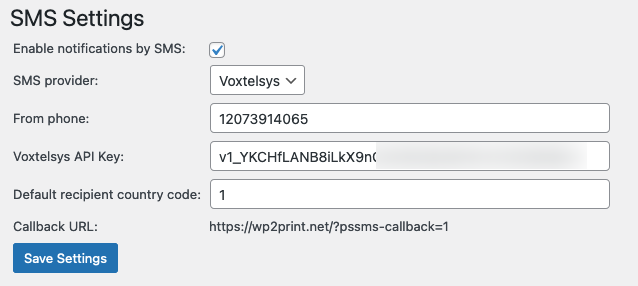
You will need to configure the SMS plugin so that it uses the SMS provider you have selected. After you create your account at your SMS provider, they SMS provider will supply you with a phone number that will be used for sending SMS messgaes as well as some keys and/or tokens. You will configure this information in the SMS plugin's settings.
¶ Twilio
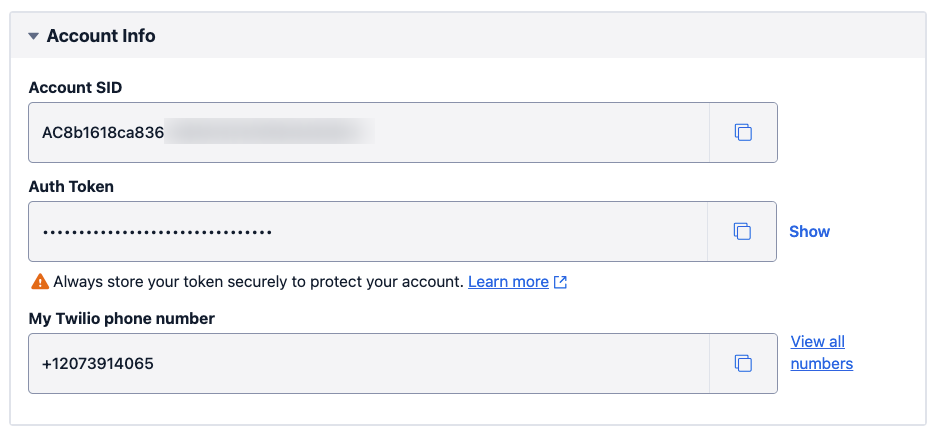
After you have created your account at Twilio, you will need to configure 4 pieces of data in the SMS Settings page:
- SenderID (The phone number you purchased from Twilio)
- Twilio API SID
- Twilio Auth Token
- Default Recipient country code (Typically your home country's country code)
The required information is clearly displayed in your Twilio account:
The image below shows a typical configuration within the plugins settings:

¶ Sinch
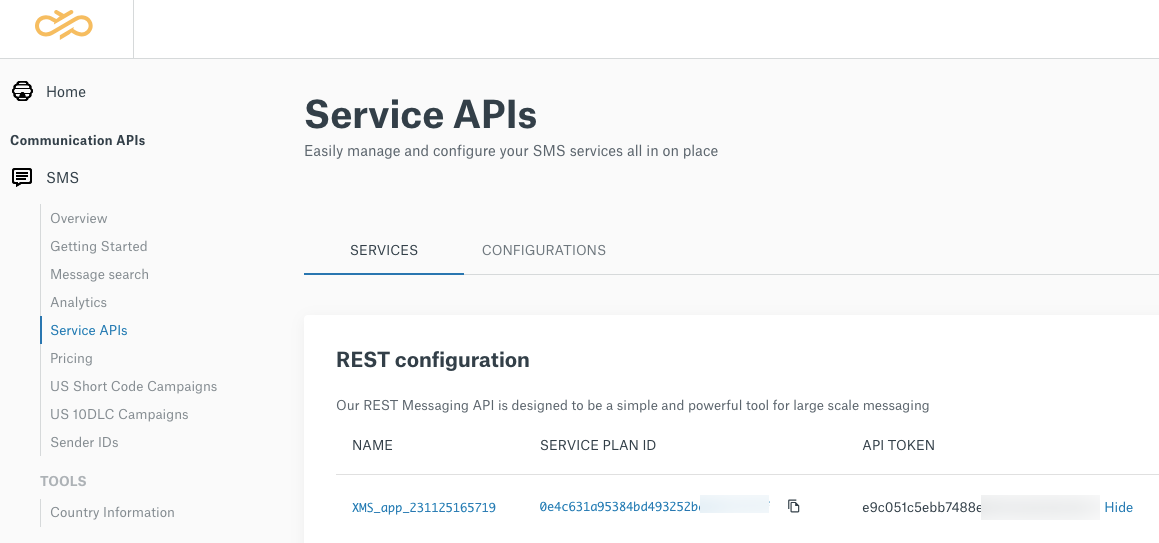
After you have created your account at Sinch, you will need to configure 4 pieces of data in the SMS Settings page:
- From phone (The phone number you purchased from Sinch)
- Service Plan ID
- API Token
- Default Recipient country code (Typically your home country's country code)
The required information is clearly displayed in your Sinch account:
The image below shows a typical configuration within the plugins settings:

¶ Voxtelsys
After you have created your account at Voxtelsys, you will need to configure 3 pieces of data in the SMS Settings page:
- From phone (The main phone number you use at Voxtelsys)
- API Key
- Default Recipient country code (Typically your home country's country code)
The API key is clearly displayed in your Voxtelsys account:

The image below shows a typical configuration within the plugins settings: