There may be certain combinations of attributes that you do not want customers to select. wp2print offers methods to make certain combinations unavailable. When a combination of attributes is marked as unavailable, the dropdown fields in the product pages adjust themselves so as to completely hide the unavailable combination.
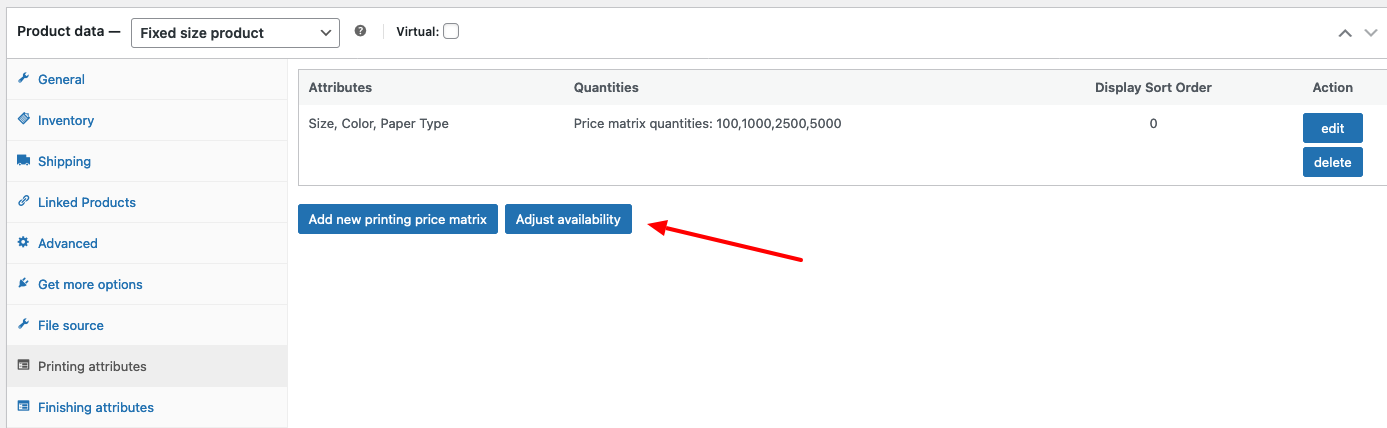
After you select the attributes for a product, wp2print will automatically create 2 matrices that allow you to adjust the available of attribute combinations. The first of these matrices includes all the combinations of the printing attributes. The 2nd matrix contains all the combinations of printing and finishing attributes. You can access these new matrices via a button labeled Adjust availability which is displayed in the tabs for both Printing attributes and Finishing attributes as shown below:
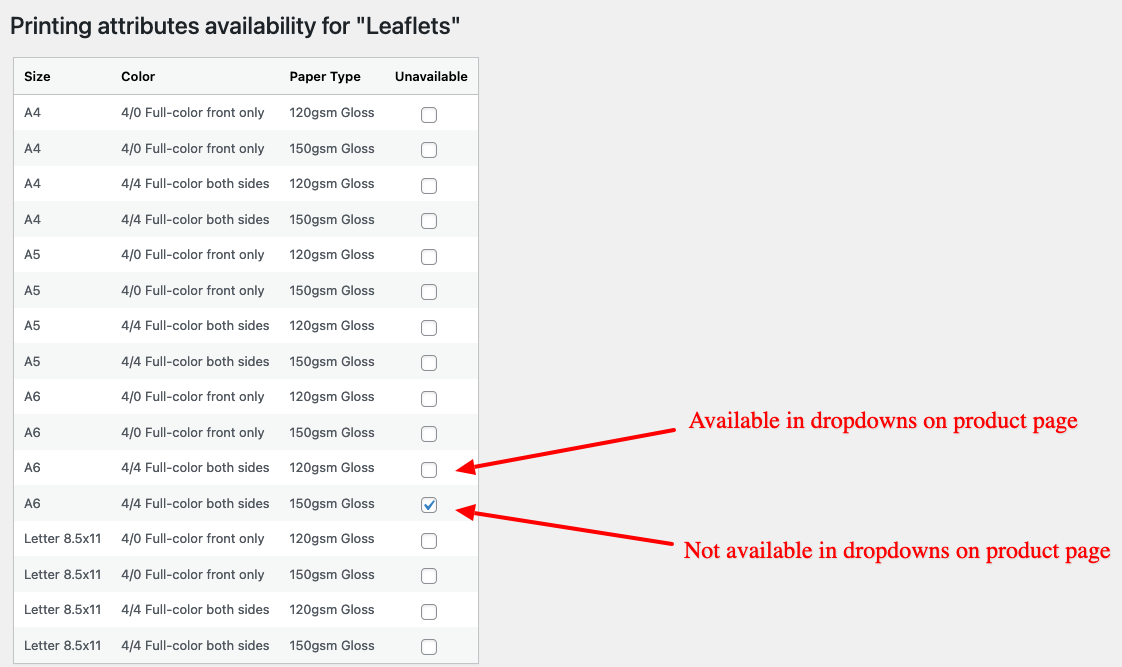
The image below display the availability matrix for an example product. In the example below, we have marked as unavailable the following combination of printing attributes:
- Size: A6
- Color: 4/4
- Paper type: 150gsm Gloss
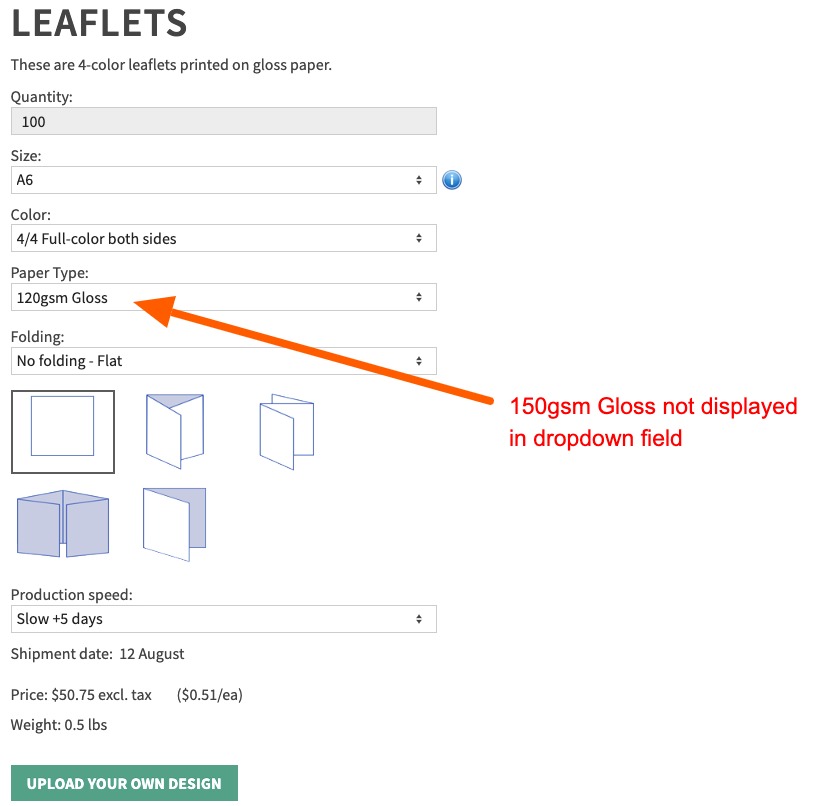
In the customer-facing product pages, the option of "150gms Gloss" is not visible in the Paper Type dropdown after the customer selects the other attributes:
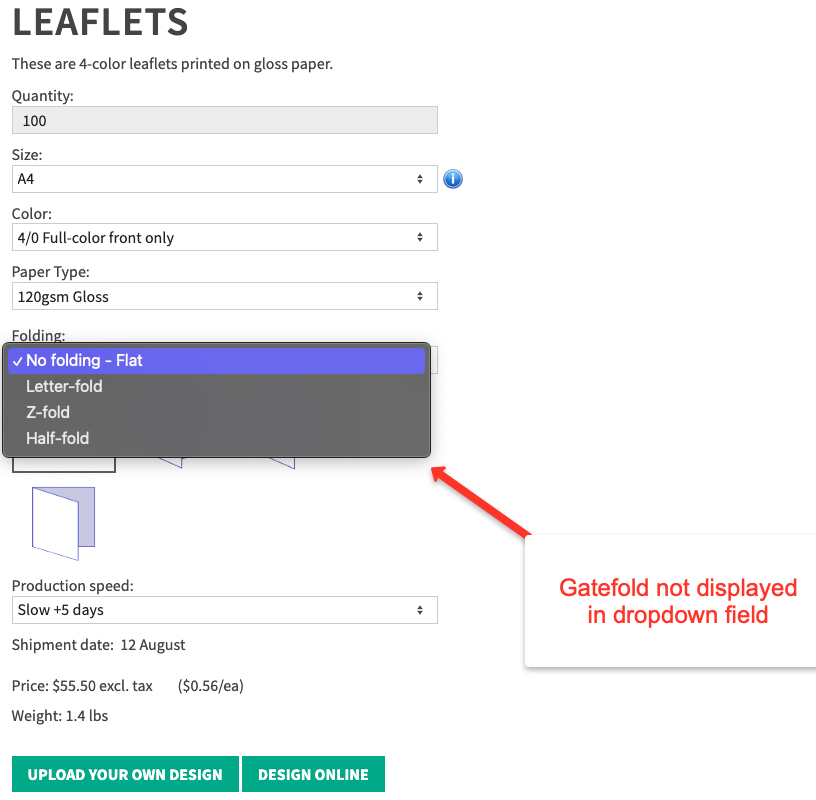
In the example below, we have marked as unavailable the combination of printing and finishing attributes:
- Size: A4
- Color: 4/0
- Paper type: 120gsm Gloss
- Folding: Gatefold
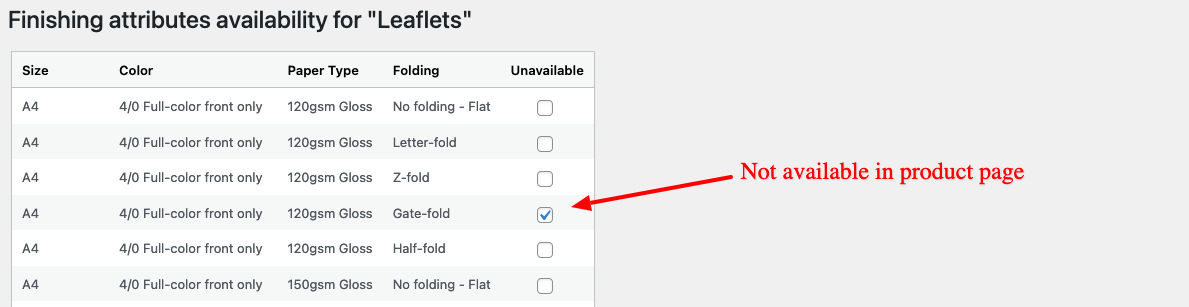
In the customer-facing product pages, the option of "Gatefold" is not visible in the Folding dropdown after the customer selects the other attributes: